$0.00
0
Don't know what to wear for Halloween Blog Featured Image
Create Your Own T Shirt Design​

Don’t Know What to Wear for Halloween? Create Your Own Look

Doesn’t it make you cringe to realise that Halloween is right around the corner and you still don’t know what you should wear? Maybe you have a party to attend, a group costume to consider, or you just want to look good while getting out on the town on October 31st. Don’t stress about finding the perfect costume or buying a speciality costume with a price tag that will haunt you for months. Sometimes all you need is a creative T-shirt graphic or custom hoodie design to complete your outfit. With MyNameT, finding Halloween apparel and custom clothing is easy, so you can stay on task and create the outfit of your dreams.   Easy Halloween Outfit Ideas When You’re Out of Ideas Not everyone enjoys spending hours upon hours putting together the perfect costume for the holiday. For those of you who enjoy a more laid-back, low-maintenance costume, custom apparel is the perfect solution. Here are a few fun ideas to find your Halloween costume and create your Halloween outfit.   Get a Classic Halloween T-Shirt Maybe you only have a few hours to get ready, or you just want an outfit that you can wear multiple times after October 31 st. A T-shirt with a spooky graphic, Halloween phrase, ghost, or even pumpkin design is an easy way to complete any outfit. Pair it with black jeans or shorts, a cute sweater, and your favourite sneakers, and you’re ready to head out the door! Throw on a fun accessory, face paint, or even a cool hat for the ultimate Halloween look. Whether you attend a party, meet your friends at the local park or take the kids trick-or-treating, a custom t-shirt with a fun Halloween graphic is the perfect accessory for any outfit.   Create a Funny Halloween Costume Why not shake things up a bit and go for a funny Halloween costume instead? Think of the most fun and interesting Halloween graphic you can muster up. Go wild with a funny graphic, Halloween pun, or create a shirt with a cool graphic design that only your friends will understand. Make it your own and wear something that speaks to you, rather than wearing a costume that everyone else has.   Match With Your Friends, Family or Co-Workers Halloween just isn’t the same without all of your friends and loved ones! Get the whole family involved by picking matching t-shirts and hoodies, or have your group of friends all wear a different graphic that goes together for a fun twist. Custom Halloween apparel such as matching t-shirts is great for couples, families, friend groups, co-workers, office Halloween parties, school Halloween carnivals, or even your annual family Halloween get-together! Get creative and pick a matching design or keep each shirt unique with a Halloween theme to tie them together.   Design a Halloween Costume That You Will Wear Again Who says that everyone has to wear a one-of-a-kind Halloween costume? Create a custom hoodie graphic with a subtle Halloween reference or wear a cool graphic T-shirt with a funky Halloween graphic for an easy but fun Halloween outfit. Pick a graphic that you’ll continue to wear long after October 31 st has passed.   Find Your Halloween Costume At MyNameT Looking for more Halloween costume ideas? Check out MyNameT’s Halloween Collection for all of your custom apparel needs! From spooktacular graphics to cute Halloween designs, start with a theme that speaks to you. Keep it classic with a cute, classic Halloween graphic or get creative with a fun graphic design that only you could think of! Don’t settle for a Halloween costume that you don’t want to wear. Pick a custom t-shirt graphic, sweatshirt design, or hoodie graphic that speaks to you and make your costume your own. Browse the MyNameT Halloween page and find your Halloween costume today!   Design Your Own Halloween T-Shirt With The MyNameT Design Studio Have an idea for a Halloween graphic but can’t find the right shirt for your costume? Start designing! Our Design Studio at MyNameT can help you pick the perfect graphic design for the shirt of your choice. This is a great option if you aren’t seeing the graphic or style that you want for your Halloween costume. Here are a few fun ways to make your costume your own: Pick a theme. Ghosts, skeletons, pumpkins, bats, black cats, or anything else that you love for Halloween! The choice is yours! Create a funny graphic. Write a fun Halloween phrase, use an inside joke from your family or friends or write a phrase that speaks to YOU! Make it matchy-matchy. Create a group costume with your friends and family. You could make the whole group have the same graphic design or keep each T-shirt unique with a Halloween theme. Make it a different style. Keep the graphic simple but spooky or go all out with a cute Halloween graphic design. Make the graphic really pop on a black graphic t-shirt or make it subtle with a pastel graphic design. Make it personal. Make a graphic design using text and graphics that speak to you and only you! Use our AI graphic design software to create the perfect graphic for your costume or get inspired and choose a graphic design that you absolutely love. Once you’ve found the graphic design that speaks to you, pick the apparel that you’d like to pair it with for the ultimate Halloween costume. Whether you are picking an outfit for yourself or making a group costume with friends, our custom t-shirt graphic designs and Halloween apparel can help you create the look of your dreams!   Need Your Halloween Outfit Fast? Check Same-Day Printing Options We all know that sometimes the best-laid plans can be thwarted by one small detail. Perhaps you didn’t plan for Halloween to be a costume-themed day, or you got invited to a Halloween party at the last minute. Or maybe you’re doing a Halloween costume exchange with friends or …
Continue Reading
DIY Spooky Style How to Design a Custom Halloween T-Shirt Blog Featured Image
Create Your Own T Shirt Design​

DIY Spooky Style: How to Design a Custom Halloween T-Shirt

What makes a great Halloween shirt? It has absolutely nothing to do with your artistic ability, but rather what your design is able to convey. It needs a clever story or a catchy message. It has to be readable in the dark. It’s also good if your friends would do a double-take when they see it on you. But how do you come up with something so amazing? We’ve created some tips and tricks that will help an aspiring designer create a truly remarkable shirt at any time of the year for any occasion. Let us guide you through our ideas, and maybe we’ll create something you’ll want to wear year-round.   Start With a Little Story What is your design about? Every great shirt is the result of a creator thinking about what they want to communicate or what story they want to be told. Maybe it’s a ghost that gets cursed in a coffee shop or a skeleton that goes on a date that doesn’t happen or a black cat that decides a potion is a snack. One simple scene and you’re already a step ahead of the competition. To find an idea, do a short exercise. Pick one character, add an action, and make a fun or spooky twist. Write it down on a sticky note somewhere and bring it along to design.   Sketch Messy & Then Work Out the Details Now grab your sketchbook, light a candle, and design your shirt! Don’t start with the colors or the shapes. Sketch a simple square that represents your shirt and draw a rough version of the image inside. It will most likely look nothing like what you had in mind, and that’s okay. This part is just about the placement where the text should be and how to fit the graphic without crowding the words. It also helps if you’re not good at drawing. The MyNameT AI Design Studio is perfect for turning your scribbles into a basic layout. So, take your initial sketch and begin the editing process until it looks just right. Many seasoned shirt designers swear this is the tip that helps the most. It matters because you don’t want to spend time and effort on a design that looks bad when printed. The important part is to do an eyeball test. After you’ve finished sketching, lean back and try to identify major elements of the design. Are any parts missing? If all the lines and colors blend, your design probably has too many busy details, and you should simplify it. If you can make out the primary shapes, you’re on the right track.   Create a Focal Point and a Hero Every successful design has a hero. That is the main part of your image that will catch the eye first and represent your shirt’s theme and story. Maybe it’s a smiling jack-o-lantern, a pair of familiar cat eyes, or some bold words that jump out at you. It also means that everything else in the design should support it, not compete. To create a hero, place an object or a character in the center of the shirt. Use contrasting colors and patterns to make it stand out. Then, examine the other elements to see if any of them vie for attention. If this is a problem, simplify the design or remove some elements.   Incorporate Easy-to-Read Text Text is an important part of many designs, so it has to be readable. Choose a sans serif or script font, and make sure the text is at least 36 pt in size. Even better – use a combination of fonts, but no more than two of them. Play with the contrast to make the words readable at a distance. Make sure the words are not too cramped together. You can always use a magnifying glass to see if you can read the text in a smaller size. Stick with short words and phrases. They tend to be more readable and recognizable than long sentences.   Aim for Higher Contrast and Limited Colors Contrast is essential for making sure a design is readable and striking at first glance. Pair a dark graphic with a light-colored background to create a similar effect. Stick with a more limited color palette since using too many different colors can be distracting. A bold color combination will make your design unique and recognizable at a distance. Another option is to use complementary colors. Put a black figure against a white background. This is a great contrast and has been popular among designers for longer than anyone can remember. Or, use warm and muted colors such as orange, black, and bone. They are ideal for Halloween and go well with most other colors in the palette.   Select a Good Spot on the Shirt Traditionally, it is believed that the most common place for a shirt graphic is near the center of the chest. And while that might be the safest option, you can place the design anywhere on the shirt to make it stand out. Consider these options: The left chest area – A small icon or graphic that doesn’t take up much space. The back – A large graphic or a meaningful message that someone sees when they look at your shirt from behind.  Sleeves – A small graphic on the biceps or a larger one on the lower part of the sleeve that flows down as you move your arm.  Front and back – A graphic on a shirt front that combines with a larger image at the back. Use the mock-up tool to check how the design looks in these places.   Finish it Off With Some Textured Details While textured elements look striking, many of them are unnecessary to a design. Use them as accent details to add dimension and depth to a predominantly flat graphic. Think about cracks, crevices, scratches, and any other details that could add to the effect. You wouldn’t want to …

Continue Reading
AI vs Traditional Design Software Which One Wins for Custom T-Shirts Featured Image
AI T Shirt Design Generator

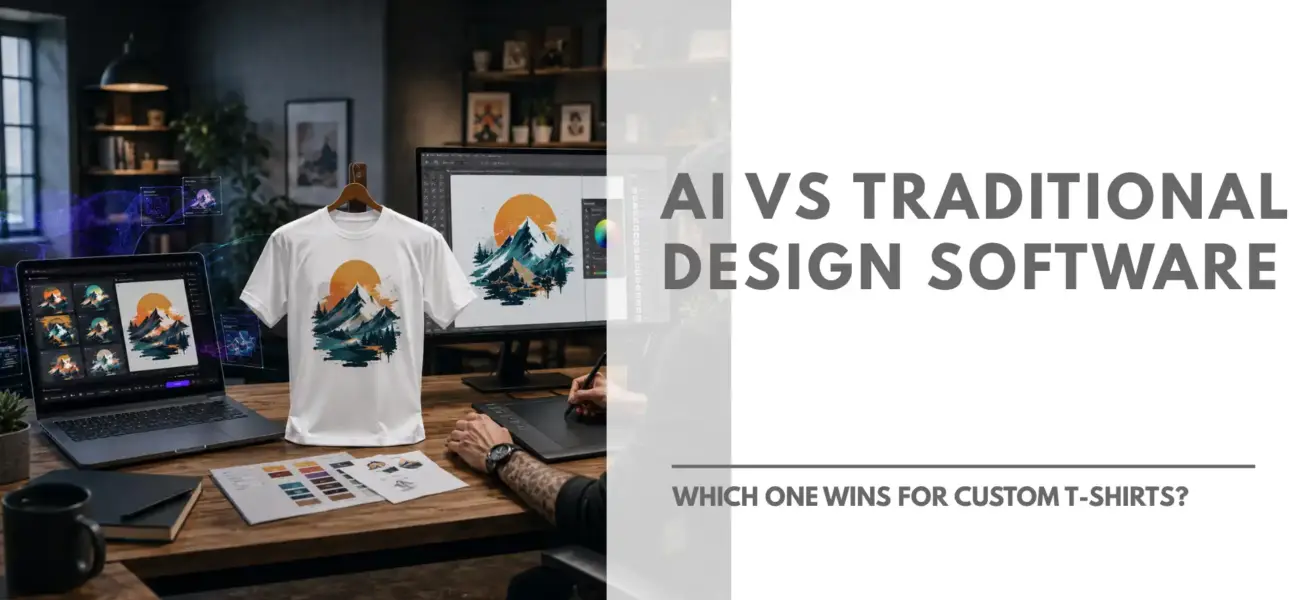
AI vs Traditional Design Software: Which One Wins for Custom T-Shirts?

Custom apparel companies today have two entirely separate approaches that they can take toward getting a shirt design done. Feed a prompt into the AI system or use software such as Photoshop or Illustrator to create it manually. Both are capable of creating wonderful designs, but their approach is entirely different. If you are weighing up an AI shirt design maker tool against the usual design software options, then there are generally three factors that will tell you which you should use: speed of creation, design skill, and file control. What is an AI T-Shirt Designer? AI T-shirt Designer app is software that can produce designs based on a text prompt or an image. Instead of creating images using hand-drawn shapes, color modifications, layer creations, etc., you can simply tell what you need, i.e., the kind of graphics, slogan, font type, color scheme, and many other things. Most AI design apps are created with speed in mind. They are meant to be used by people who want a quick idea, people without any background knowledge in graphic design, or those who would like to try out various options before settling on one. What Is Traditional Design Software? Software for traditional design, such as Adobe Illustrator, Photoshop, or the Canva Manual Editor, gives the user complete control over their work. Everything from the fonts and vector elements to placement and colors can be done manually. It does not generate anything; everything is created by the user. Such an approach is beneficial for those who have design skills, as it allows creating unique designs based on specific branding and difficult to recreate using prompts. However, this method is more time-consuming and requires either knowledge of design or of how the software works. AI Design Maker vs Traditional Software: Side-by-Side Factor AI Design Maker Traditional Software Speed Seconds to minutes Hours to days Skill required None Moderate to advanced Learning curve Minimal Steep Originality Good, prompt-dependent Fully custom Best for Quick concepts, non-designers Brand-specific, detailed work Cost of entry Often free or low-cost Software subscription + time Where AI T-Shirt Design Tools Win Speed and accessibility are the key criteria in choosing the best AI for T-shirt design. AI-based software is highly suitable when: You require an idea immediately, not in a week You are not a trained designer and do not intend to become one You need to try out different options before selecting the most appropriate one You want to have an initial design that you can improve later That is why there are so many small businesses, beginners in selling, and individuals making one-time gifts or event T-shirts choosing AI. This is because it eliminates the major drawback – lack of design skills – from the equation completely. Where Traditional Software Still Wins However, the conventional methods will continue to thrive, and for very valid reasons. These are preferred whenever: The design requires a specific brand look Precision is needed regarding typography, kerning, or vector lines The graphics will be reproduced on a variety of items and sizes You have a professional designer familiar with the software A seasoned designer will notice what a graphic tool may overlook — proper resolution for printing, perfect Pantone colors, and tweaks to fit certain shirt designs. Can You Use Both? As much as there is a preference for one type of software, some may choose not to commit to only one form of design. The process involves using the AI-based software to come up with several designs and choosing the best one to be developed using traditional software for the final design. For someone new to designing who does not have experience with other software apart from AI, it would make more sense to begin with the AI T-shirt designer than traditional software, which would require more effort. Which Should You Choose? The answer is not simple. Everything depends on where you start: Have no design skills but require a quick solution? Use an AI design generator to turn ideas into pictures in just minutes. Have brand rules and know how to design? Then use traditional software for maximum precision. Something in-between? Use AI to create a first draft and then edit it manually. For more information about how AI-generated designs are made for T-shirts, take a look at the MyNameT AI Design Studio.

Continue Reading
Guide For Mynamet AI Design Studio How to Create Your Next Custom Shirt Blog Featured Image
AI T Shirt Design Generator

How to Create Your Next Custom Shirt with MyNameT AI Design Studio

Custom apparel has always been a fantastic way to express your personal style, promote a brand, or create memorable gifts. However, the traditional process of designing a custom shirt often requires professional graphic design skills or clunky, restrictive layout tools. That is completely changing thanks to artificial intelligence. If you are looking to design your next piece of clothing, using the best AI design tool can take you from a rough idea to a retail-ready shirt in seconds. Platforms like the MyNameT AI Design Studio are bridging the gap between imagination and physical fashion, allowing anyone to produce stunning AI-generated shirt designs with minimal effort. Why Use an AI Design Studio for Custom Shirts? In the past, designing a custom shirt meant picking standard clip art or hiring a freelance designer. Today, an AI-driven studio gives you an endless canvas of unique options. No Design Experience Required: You don’t need to master complex vector software or layout grid mechanics. The artificial intelligence acts as your personal graphic assistant. One-of-a-Kind Aesthetics: Because the engine creates artwork dynamically, your final product won’t look like anyone else’s. Your AI-generated shirt designs are unique to your project. Real-Time Visualization: You can immediately preview how your creation sits on a premium blank canvas, like the classic Gildan Heavy Cotton 100% Cotton T-Shirt (Model 5000), across multiple angles and colors. Crafting a Custom Shirt with the Best AI Design Tool Getting started is highly intuitive. The platform is designed to guide you seamlessly from a concept to a finished mock-up. 1. Choose Your Canvas Your design needs a solid foundation. In the design studio, you can start directly with retail staples like the Gildan 5000 short-sleeve shirt. Selecting the right fit and fabric ensures that your high-quality graphic looks just as vibrant when printed as it does on your screen. Go to our shop page to browse through different types of canvas available at MyNameT. 2. Generate Your Artwork This is where the magic happens. By using the system’s AI generation capabilities, you can input descriptive text prompts to generate specific patterns, landscapes, characters, or abstract concepts. To get the cleanest AI-generated shirt designs, try to use descriptive keywords in your prompt. Think about the art style (e.g., “vintage watercolor,” “minimalist line art,” or “cyberpunk vector”) alongside your main subject. 3. Refine and Position Once the software serves up your custom graphics, you can position, scale, and adjust them across the front, back, or sides of the garment. This flexible control is exactly why creators look for the best AI design tool rather than basic, rigid print-on-demand templates; it lets you control the exact spatial orientation of your graphics. 4. Review Your Mockup Before finalizing, utilize the 360-degree viewing assets in the studio. Seeing how the colors contrast against fabric variants like Sunset Orange or classic neutrals ensures your physical product matches your exact creative vision. Tips for Optimizing Your AI-Generated Shirt Designs To make sure your apparel turns out looking like it came off a retail rack rather than a standard DIY site, keep a few best practices in mind: Contrast is King: If you are printing on a bright or dark shirt, ensure your image assets have clean, contrasting borders so they don’t look muddy. Keep Prompts Specific: Instead of typing “cool dog shirt,” try “Japanese ukiyo-e style illustration of a Shiba Inu wearing sunglasses.” Specificity helps the best AI design tool yield sharp, deliberate art lines. Think About Placement: A massive graphic looks great centered on the chest, while smaller, minimalist designs often work beautifully as a subtle left-chest pocket print or a bold back graphic. Ready to Create? The intersection of fashion and artificial intelligence means that your wardrobe is no longer limited by what stores choose to put on shelves. Head over to the Mynamet Design Studio, experiment with a few prompts, and discover how easy it is to bring your own ideas to life.

Continue Reading
Stylish Sweatshirts for Fall Seasonal Fashion Made Simple Featured Image by My NameT
Custom Sweatshirts, Create Your Own T Shirt Design​, Custom T Shirts

Stylish Sweatshirts for Fall: Seasonal Fashion Made Simple

As the chill sets in and the leaves start to turn, nothing beats the cozy hug of a sweatshirt made just for you. Fall fashion isn’t just about staying cozy; it’s about making it your own. Custom sweatshirts are the perfect pick when you want warmth with a stylish edge. Whether you’re walking through a pumpkin patch, grabbing coffee downtown, or layering up for a weekend trip, a sweatshirt that’s uniquely yours sets you apart. This fall, upgrade your wardrobe with custom sweatshirt designs that bring together comfort, style, and a touch of you.   Why Custom Sweatshirts Are Perfect for Fall Unlike summer tees or bulky winter coats, fall sweatshirts hit the sweet spot: warm enough for chilly mornings, but light enough for daytime outings. For students, professionals, and families, sweatshirts are a timeless favorite. Add the power of customization, and you’ve got a staple piece that works everywhere. Here’s why sweatshirts for fall make sense: Versatility: Dress it up, keep it casual, or layer your sweatshirt under a jacket. Comfort: The soft feel of fleece or cotton blends on your fall sweatshirt gives you warmth and comfort. Expression: Add your design, logo, or artwork to your customized sweatshirt and make it unmistakably yours.   Custom Sweatshirts Design Ideas If you’re looking for fresh custom sweatshirts design ideas for this fall season, here are a few suggestions to consider: Add Colors and Patterns Deep oranges, burgundies, and forest greens are seasonal staples. You can also try tie-dye in muted tones or geometric prints for a modern twist. Make it yours Fall style feels better when it’s personal. Oversized sweatshirts are still a go-to for that laid-back vibe, while cropped cuts and sleeve prints bring in a little edge. If you like subtle details, try a small embroidery, initials, or a favorite quote that feels close to you.  Our AI Design Tool makes it easy to test ideas and preview your sweatshirt before you order.   Men’s and Women’s Sweatshirts for Fall Fall style isn’t one-size-fits-all. That’s why our collections for men and women at MyNameT balance warmth with individuality. For guys, explore men’s hoodies and sweatshirts in classic fits and bold designs. For women, browse women’s sweatshirts with trendy cuts and custom-ready styles.   Finding Your Perfect Sweatshirt Creating your own sweatshirt is about more than picking a color; it’s about choosing what feels right for you. Fabric: Soft cotton blends or cozy fleece are the ultimate for comfort and long-lasting wear. Fit: Oversized for relaxed, everyday vibes, or more tailored if you plan to layer it with jackets or scarves. Design Placement: A small chest logo can be understated, sleeve graphics add a playful twist, and full-back prints make a bold statement. Durability: You want a sweatshirt that looks as good after a season of wear as it did the day you designed it. From oversized pullovers to sleek zip-ups, MyNameT has a style for every personality and every fall adventure.   Styling Tips Sweatshirts aren’t just cozy, they’re a canvas for your fall style. Casual Days: Pair your favorite sweatshirt with jeans and sneakers for laid-back weekend vibes. Polished Yet Cozy: Dress it up with leggings and boots for a look that’s comfortable but put-together. Layer Like a Pro: Throw on a denim or leather jacket for warmth and instant style points. Finish With Flair: Scarves, hats, or subtle accessories turn a simple sweatshirt into a full fall-ready outfit. With a little creativity, your custom sweatshirt can go from morning coffee runs to evening strolls without missing a beat.   Custom Sweatshirts That Make Every Gift Memorable There’s something special about giving or receiving a truly personal gift. A customized sweatshirt is more than just cozy clothing; it’s thoughtful, practical, and timeless. Perfect for birthdays, team events, family gatherings, or holidays, it’s a present that actually gets worn and remembered. Instead of a generic sweater, picture gifting a friend a sweatshirt embroidered with their initials, a favorite quote, or a design that reflects their personality. That’s the kind of gift people talk about long after the season ends. With MyNameT, creating your perfect custom sweatshirt gift is simple. Our AI-powered design tool puts you in control , no professional designer needed,  letting you personalize every detail. On top of that, we offer fast printing, bulk order options, free pickup in Sunnyvale, and fast delivery in San Francisco, San Jose, Santa Clara, Cupertino, and many more locations across the Bay Area.   Final Thoughts Fall is the season of comfort, but it’s also the season of expression. A custom sweatshirt blends both, giving you warmth when the air cools down and a chance to wear your personality proudly. With endless design ideas, styling options, and the power of customization tools, there’s no better time to upgrade your wardrobe. From cozy evenings to stylish outings, your sweatshirt will be more than clothing; it will be yours. Design your custom sweatshirt now with MyNameT and experience easy ordering, high-quality printing, and fast turnaround.  

Continue Reading
AI T-Shirt Design Generator by My NameT Featured Image
Create Your Own T Shirt Design​, AI T Shirt Design Generator, Custom T Shirt Design Ideas, Custom T Shirts

AI T-Shirt Design Generator by MyNameT: Fast, Easy, Custom T-Shirts

MyNameT’s AI t-shirt design studio is a smart, beginner-friendly tool that lives on every product page of our site. It’s powered by artificial intelligence, giving you creative freedom without the need for design software or artistic skills. Just type a few words, and the AI turns your ideas into artwork in seconds. You don’t need any design experience, just your imagination. Whether it’s for a gift, an event, or something personal, our t-shirt design studio helps you make it unique.  It’s a simple, beginner-friendly tool that lets anyone create a one-of-a-kind tee with just a few clicks. 1. Generate text-to-image with AI Got an idea in mind? Just type it in, and watch our AI turn words into visuals. Whether it’s a dog in space, a motivational quote, or your favorite meme, your imagination sets the limit.Perfect for custom gifts, themed events, or statement slogans, every shirt becomes truly one of a kind. Ex: Funny Father’s Day Tees, Birthday Gifts, Event T-Shirts 2. Free Design Resources or Upload Your Own Choose from a huge library of ready-to-use images, icons, and design templates, free and easy to mix and match.Want to use your logo or art? You can easily upload and incorporate it into your shirt. Ideal for: Business merchandise, school or club shirts, or for matching family outfits. 3. Pick Perfect Color Schemes Design with colors like a pro. Choose from over 50+ pre-curated color palettes or customize your own to match logos, themes, or moods.The AI helps to balance colors so every tee looks sharp and cohesive. It’s all about effortless, pro-level design.You can also customize your t-shirt with the latest t-shirt trends, unique ideas and quotes, or themed using the AI T-Shirt Design Generator at MyNameT. How to Use the AI T-Shirt Design Tool No app, no download, just click and create! Our AI design tool is built right into every product page, making it easy to design your tee in seconds. Designing custom tees can be tricky. Whether it’s for fun, business, or self-expression, MyNameT’s AI-powered tool brings your ideas to life. Our AI t-shirt design generator makes it feel effortless.  You get: Final Thoughts  Designing your dream tee is just a few clicks away. With MyNameT AI t-shirt design generator tool, you don’t need to be an artist, you just need an idea.Ready to turn your ideas into wearable art? Try our AI option in the design studio today and  create your own t shirt design​ at MyNameT collection.

Continue Reading